
 Farkle ManiaGUIDE 03
Online & item mode
Set up a match and learn how to use Power Dice and items.
03.01
Online match settings & Random Match
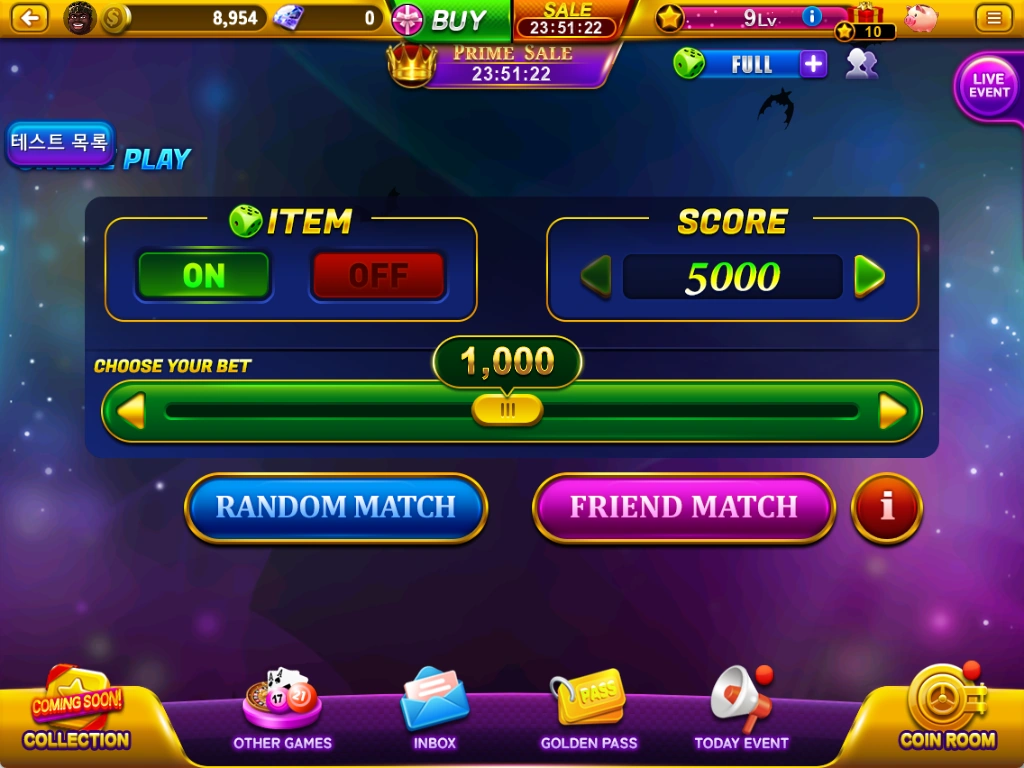
Where to find it · Online play → ITEM / SCORE / CHOOSE YOUR BET
Play a 1:1 match against someone using the same settings. Choose item mode, target score and bet first.
- Set ITEM to ON or OFF to choose whether items are used.
- Choose 5,000 or 10,000 under SCORE.
- Set your bet under CHOOSE YOUR BET.
- Press RANDOM MATCH to find a player with the same item setting, target and bet. To play with a friend, use FRIEND MATCH.
03.02
Checking & replenishing Power Dice
Where to find it · Online play → Green die at the top right
Power Dice are a currency used in item mode. Check your balance beside the green die at the top right.
- Power Dice replenish at a rate of 1 every 4 hours. Check the game screen for the current status.
- The + button opens paid replenishment offers. Check the quantity and price before buying.
- Power Dice costs vary by item, so check the cost on the selection screen.
03.03
Selecting items
Where to find it · Online item mode → ITEM SELECTION
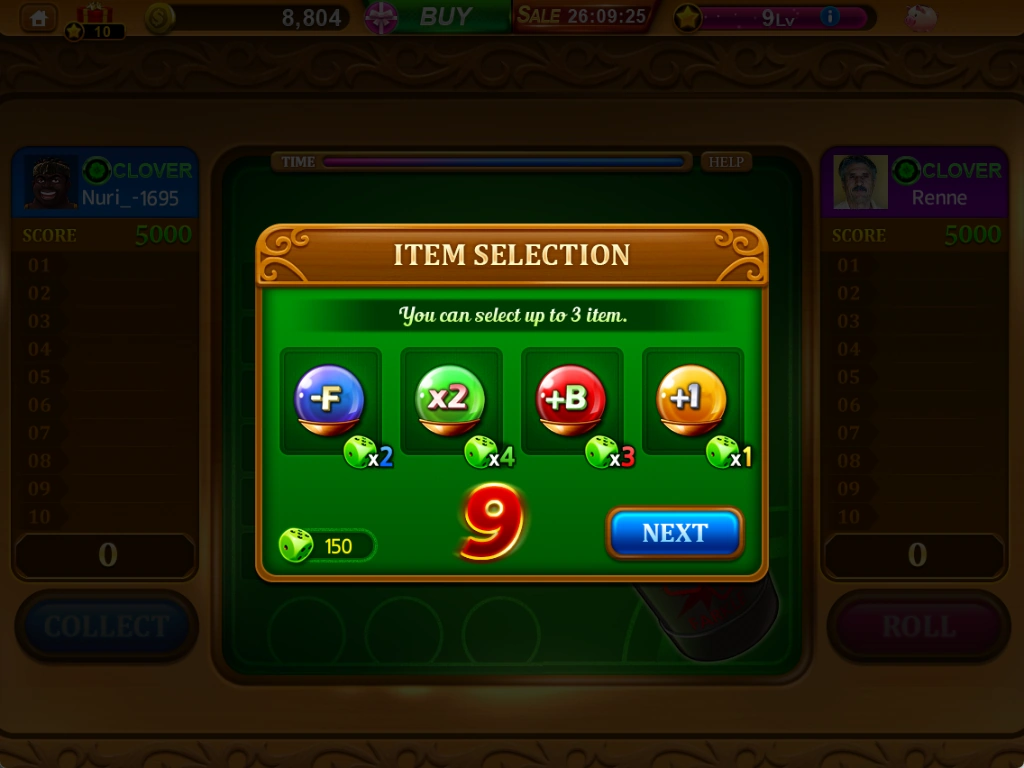
When you enter item mode, you can choose up to 3 items to use in that game.
- Choose your items in ITEM SELECTION.
- Compare the Power Dice cost below each item with your balance.
- Open HELP for each item's effects and instructions.
- Watch the time limit and press NEXT to proceed.
03.04
Playing an online match
Where to find it · Online play → Match screen
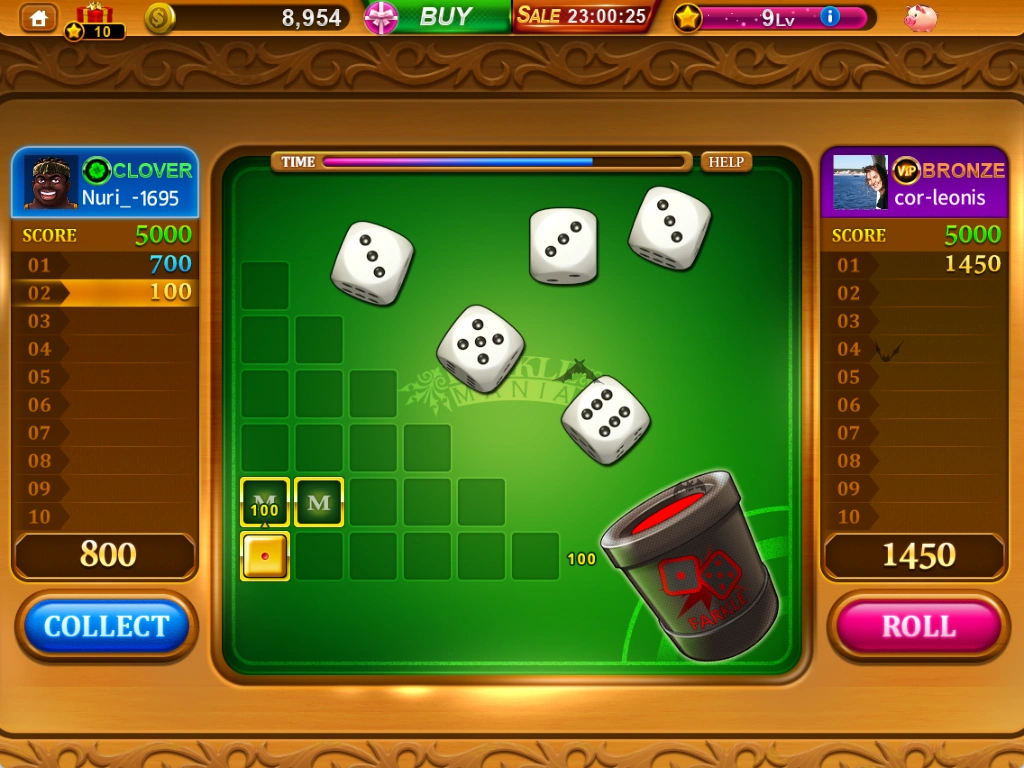
Your round scores are on the left and your opponent's on the right. Keeping dice to earn points follows the same basic process as single-player; the opponent plays after your turn ends.
- Check both scoreboards for the target and current totals.
- On your turn, press ROLL and keep scoring dice.
- Bank your points with COLLECT, or reroll the remaining dice to try for more.
- Watch TIME at the top and act within the time limit. Open HELP for item effects and score changes in different situations.
03.05
Online results & rematches
Where to find it · Online play → RESULT
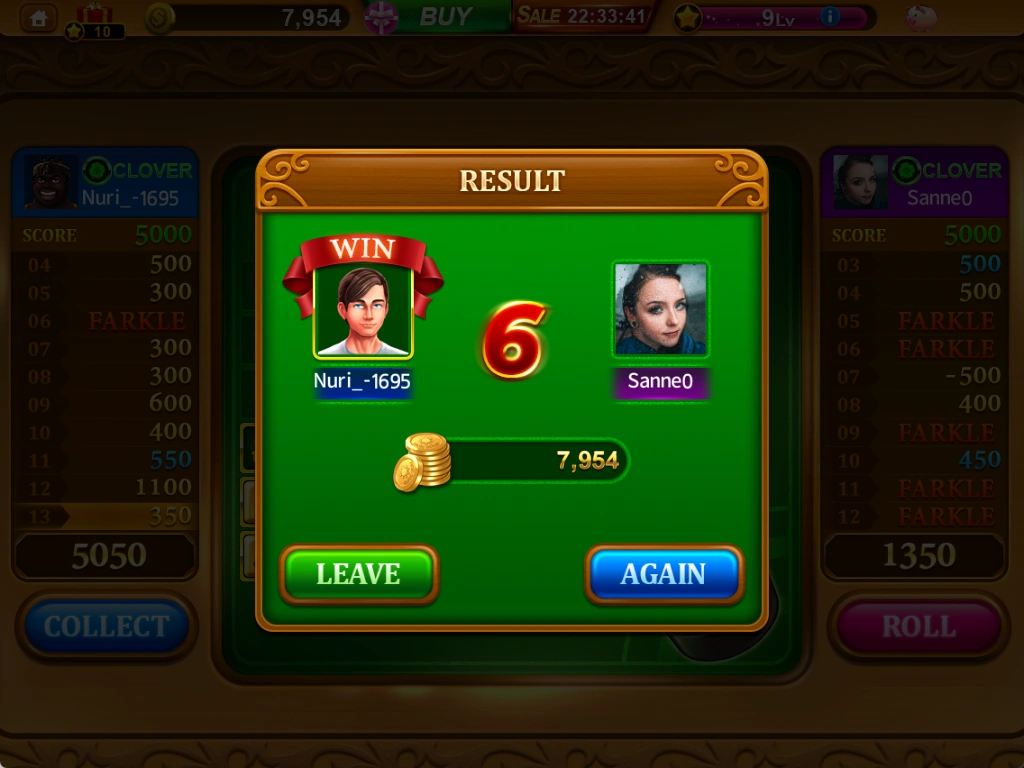
The first player to reach the target wins and the game ends. Check the winner and your balance after settlement in the result window.
- Check the winner indicator and your balance in RESULT.
- LEAVE exits the match and returns to the lobby.
- Press AGAIN to play the same opponent with the same settings. A rematch starts only if your opponent also chooses AGAIN.
See the latest in-game information for prices, rewards, events and applicable conditions.