
 Farkle ManiaGUIDE 04
Playing with friends
Find and add friends, then invite them to a 1:1 match from the online lobby.
Friend list & menus
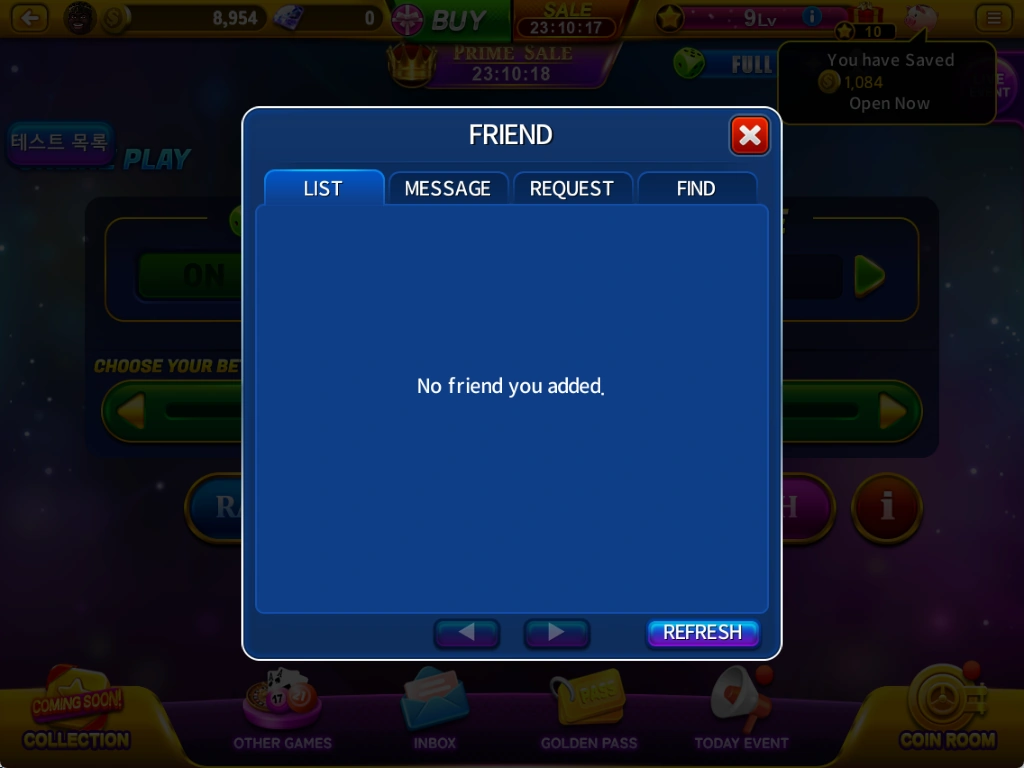
Press the friend icon beside the green Power Dice indicator to open FRIEND. Find friends, check friend requests and send messages.
Tab functions
LIST shows your added friends and their online status. MESSAGE lets you send messages to added friends.
REQUEST lets you view and accept incoming friend requests. FIND searches by nickname and lets you send a friend request.
Sending & accepting friend requests
Search for a friend's nickname and send a request. They become your friend after accepting.
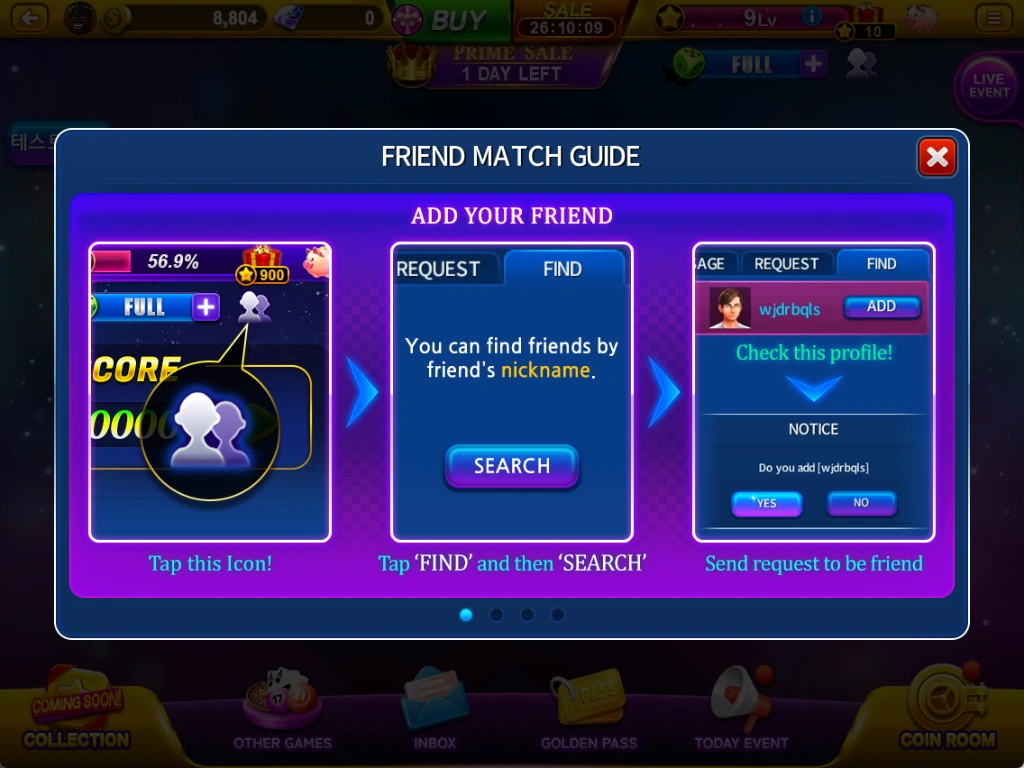
- In FIND, enter a nickname and press SEARCH.
- Check the profile and press ADD. Choose YES in the confirmation window to send the request.
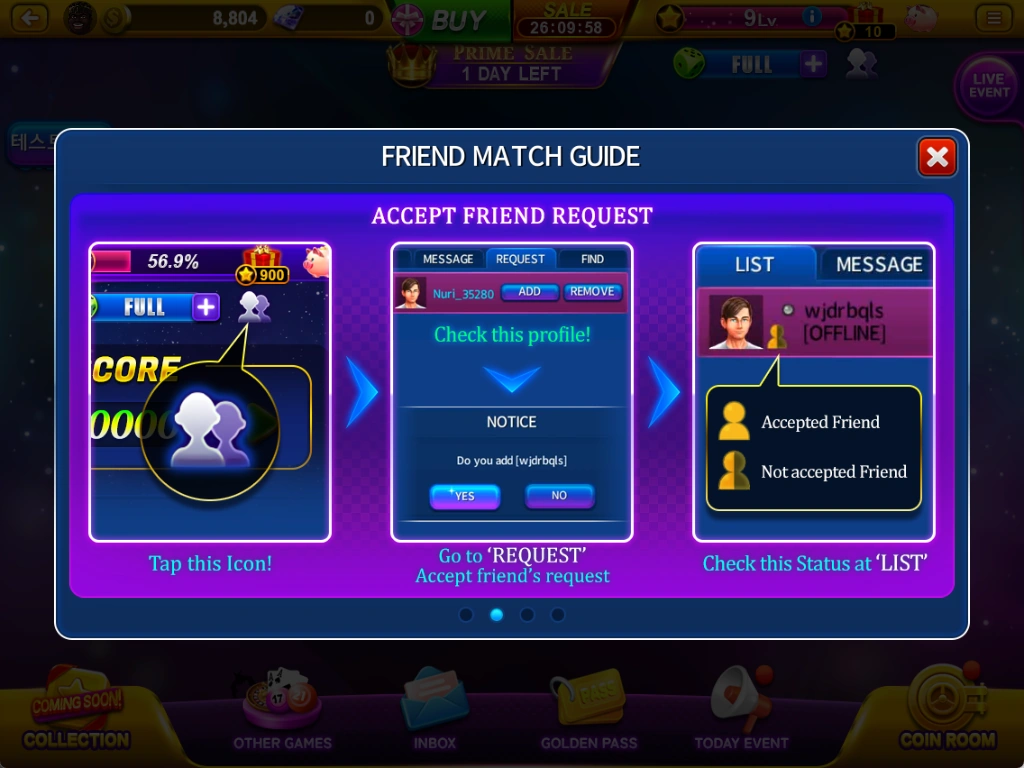
- The recipient can check the request in REQUEST and press ADD to accept.
- After adding a friend, check LIST. The displayed icons distinguish acceptance and online status.
Inviting a friend & starting a match
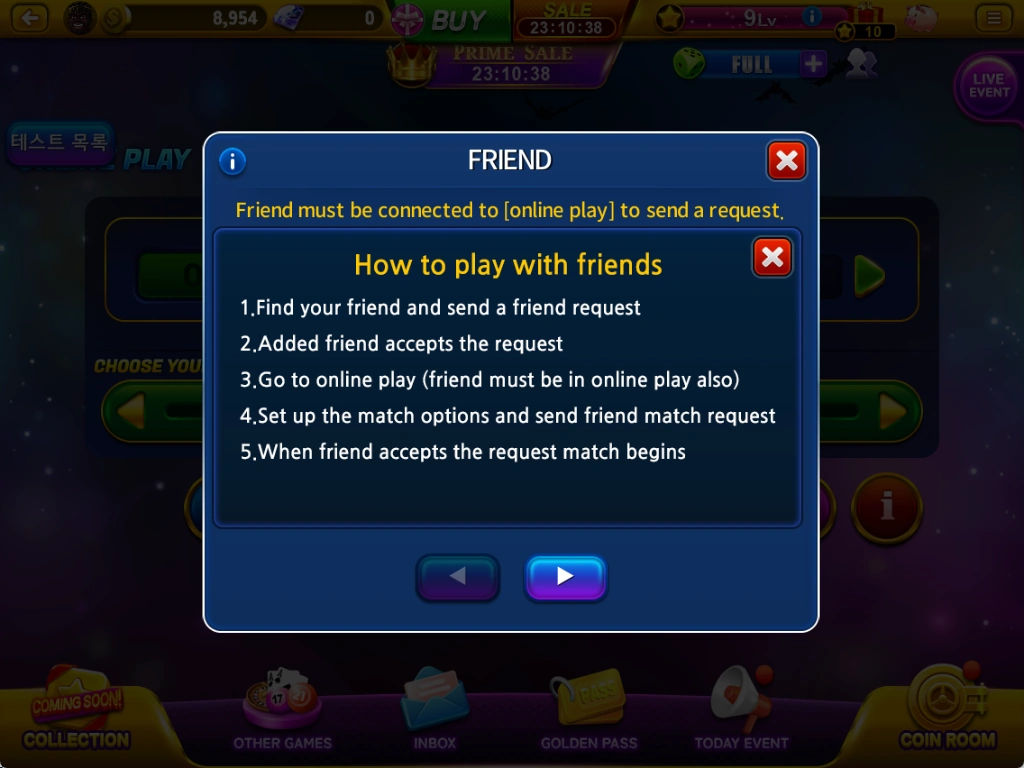
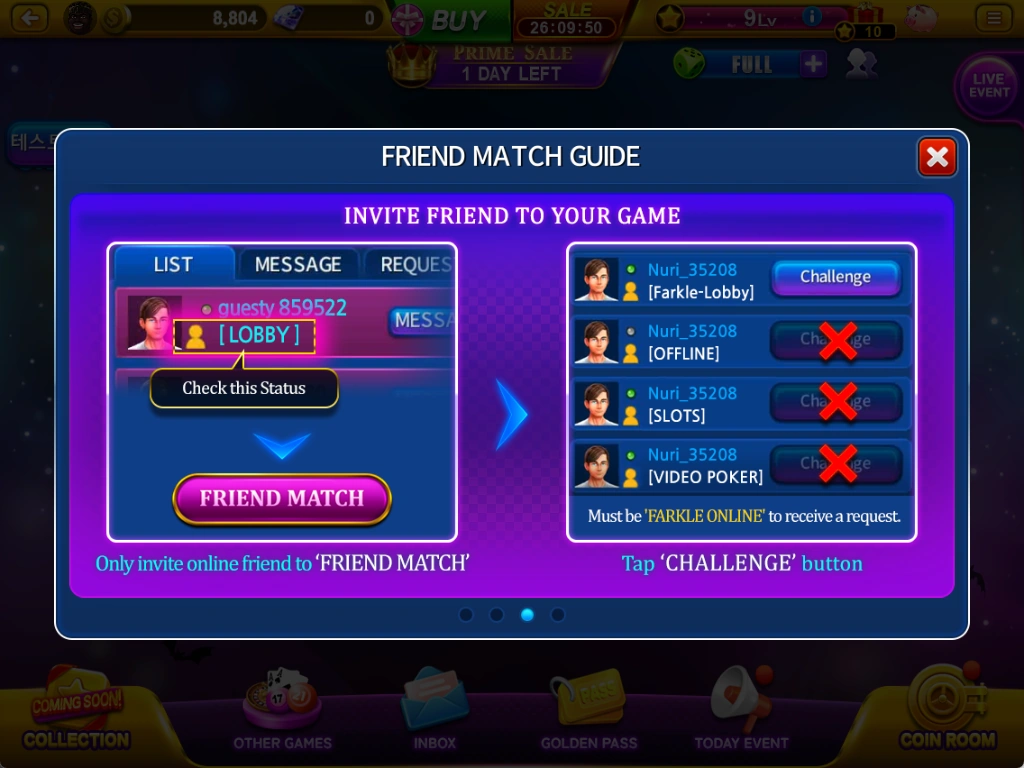
Both players must be in the Farkle online-play lobby to start a friend match. You cannot invite an offline friend or one playing another game.
- Add each other as friends, then both enter the online-play lobby.
- The inviting player sets item use, target score and bet.
- Open FRIEND MATCH, check your friend's status and press Challenge.
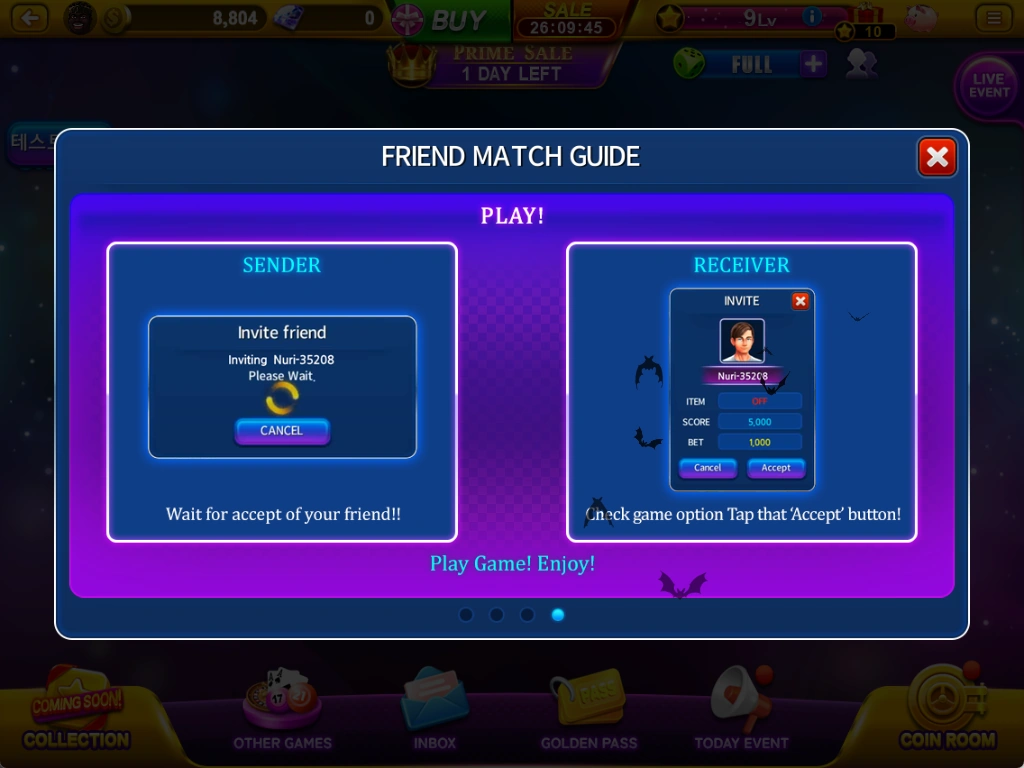
- The recipient checks ITEM, SCORE and BET in INVITE, then chooses Accept.
- The match starts when your friend accepts. The sender can press CANCEL on the waiting screen to cancel the invitation.
See the latest in-game information for prices, rewards, events and applicable conditions.